CURRENT Kristijonas Sergejevas CURRENT Kristijonas Sergejevas

ATLAS PRO

PRODUCTION YEARS

2024 to Current

LATEST SOFTWARE

2024.8.19.103

READ MORE >


PRODUCTION YEARS

2024 - Current

LATEST SOFTWARE VERSION

Version: 2025.11.5.128

Fixed Issues:

  • Fixed random issue where an oil session was completed without showing the “Lanes Completed” screen.

  • Fixed bug that was causing the handle button LED not to light up on the Atlas model.

  • Fixed the ratio text overflow on the pattern information pop-up.

  • Fixed bug that prevented Atlas from returning to the foul line when the handle button was pressed.

  • Fixed the super concentrated calibration process to be able to read the volume in the graduated cylinder.

  • Fixed bug that caused Atlas UI to enforce crossing board 19 when updating a pattern. Atlas UI will now match Smart Link and it will no longer enforce crossing board 19.

  • Removed Duster Down Input from the input screen.

Smart Link Desktop - Fixed Issues:

  • Fixed bug that caused Smart Link not to show accurate cleaner/water in the telemetry screen.

  • Fixed bug that caused Smart Link to crash when creating a pattern with an infinite ratio.

Pattern Library - Fixed Issues:

  • Fixed bug that caused patterns under 1:1 not to show up. This bug affected all systems connected to the Pattern Library.

What’s New:

  • Atlas MOVE screen UI will now show a counter when moving, making it easier to set lane-to-lane values.

  • Atlas will now support connecting to Wi-Fi networks with captive portals. Login portal will be shown when the machine connects to these networks.

  • Atlas will now add I/O status to the error records

  • Atlas will now alert when machine calibrations are overdue. The threshold is 30 days.

  • Added reverse buzzer feature. Atlas can now make a specific sound when the machine is moving in reverse out of the lane. This feature is off by default.

  • Atlas will now show the computer MAC address.

  • Enhanced Network Management. Atlas will remember connected networks and store the passwords, making it easier to swap from one network to another.

Smart Link Desktop - What’s New:

  • Modified the way that a pattern with infinite ratio is shown, from showing "Infinity" to "99:1."

  • Implemented a “Remember Me” feature when logging in. 

Pattern Library - What’s New:

  • Added support for .pattern files. The pattern library will now separate KOSI files from .pattern files.

    • Atlas can consume both pattern file types, but previous machine models will not be able to consume the new .pattern file.

  • Modified pattern report design to accommodate patterns with more than 20 load screens without overflowing.  

TRANSFER SYSTEM

DUO Transfer System (roller and single transfer brush)


AVAILABLE UI LANGUAGES

Arabic, Bulgarian, Chinese, Czech, Danish, Dutch, English, Finnish, French, German, Greek, Hebrew, Italian, Japanese, Korean, Malay, Norwegian, Polish, Russian, Spanish, Swedish, Thai, Turkish, Ukrainian.

Learn more about ATLAS PRO here.

Read More
CURRENT Kristijonas Sergejevas CURRENT Kristijonas Sergejevas

ATLAS & ATLAS WALKER

PRODUCTION YEARS

2023 - Current

LATEST SOFTWARE

Version: 2024.8.19.103

READ MORE >


PRODUCTION YEARS

2023 - Current

LATEST SOFTWARE VERSION

Version: 2025.3.28.124 

Fixed Issues:

  • Fixed issue that showed the burn pair option available when the minimum number of lanes was too low.

  • Fixed issue that would not return you to the pattern volume test screen after selecting a pattern.

  • Reduced the time to turn off the buffer motor in reverse when completing a lane based on the LDS not pulsing.

  • Improved logic that manages the floats. Resulting in better reporting of empty tanks.

  • Fixed issue where error data in machine records and error history did not match.

  • Fixed issue where auto speed function will adjust and save speeds that are out of range.

  • Fixed issue where LED oil head tracking effect could get out of sync.

  • Fixed issue that would cause the telemetry data not to broadcast in some scenarios.

  • Fixed issue where text on session cards in the Run Machine\Select Lanes screen would not fit properly on the card

  • Fixed issue when turning the conditioner LED mode off would not save unless you select a color.

  • Fixed min\max values in dual pattern lane selection.

  • Fixed issue where pattern info card does not show correct tank information.

  • Fixed issue with the running screen not changing the pattern logo when running multiple patterns.

  • Fixed issue that causes errors before there is a connection to the control board when booting.

  • Fixed issue that will cause an error to be triggered before a user is logged in which caused the LED to change to red with no error popup to dismiss.

  • Fixed issue caused when you modify the pattern and press “save,” instead of “copy as” which resulted in the machine saving the pattern and modifying the image but not changing the GUID. The pattern library would show the original download as already downloaded, but the pattern in the machine is a modified version.

  • Fixed issue with K2 cloth not counting properly.

  • Fixed issue where the mobile app can connect to machine with no onboard user connected. Causing issues with records and data.

  • Fixed issue that will cause the pause function to not work properly in certain instances.

  • Fixed issue that will cause the machine to not stop in reverse when manually moving it from the lane to the approach from the move screen.

  • Fixed issue that will cause the saving changes popup to get stuck in a loop and not close properly.

  • Fixed issue where the whisker will not operate when the OLS is engaged.

  • Fixed issue when selecting number of lanes over 46 in the scheduler, causing the estimated runtime to be incorrect.

  • Fixed issue that can cause the reset cloth from the cleaner compartment button to get stuck resetting the cloth and no longer raise and lower the cloth.

  • Fixed issue that causes the calibration process to not stop when an error happens.

What’s New:

  • Update to squeegee wipe distance; forward distance max value now locked to be less than the reverse distance.

  • Update to the UI to show water before cleaner in Pump Calibration Settings.

  • Update to the keyboard to include special characters.

  • Update to improve oil head adjustment UI design in Conditioning Settings to better explain the adjustment values.

Smart Link Desktop:

  • Fixed issue in Smart Link that didn't show the correct time span for "All Day" setting.

  • Fixed issue that will cause the lane area\distance to be incorrect when an error is triggered on the lane.

TRANSFER SYSTEM

DUO Transfer System (roller and single transfer brush)


AVAILABLE UI LANGUAGES

Arabic, Bulgarian, Chinese, Czech, Danish, Dutch, English, Finnish, French, German, Greek, Hebrew, Italian, Japanese, Korean, Malay, Norwegian, Polish, Russian, Spanish, Swedish, Thai, Turkish, Ukrainian.

Learn more about ATLAS and ATLAS Walker here.


Read More
CURRENT Kristijonas Sergejevas CURRENT Kristijonas Sergejevas

IKON & IKON WALKER

PRODUCTION YEARS

Ikon - 2016 to Current

Ikon Walker - 2019 to Current

LATEST THOUGHTWARE

K3.4A

(Ikon)

IW7.2

(Ikon Walker)

READ MORE >


PRODUCTION YEARS

Ikon - 2016 to Current

Ikon Walker - 2019 to Current

LATEST THOUGHTWARE VERSION

Ikon - K3.4A

Ikon Walker - IW7.2

TRANSFER SYSTEM

DUO Transfer System (Transfer Brush & Transfer Roller)

AVAILABLE POST-PRODUCTION UPGRADES

None

Learn more about IKON lane machine here.

Learn more about IKON Walker lane machine here.


Read More
CURRENT Onder Gurkan CURRENT Onder Gurkan

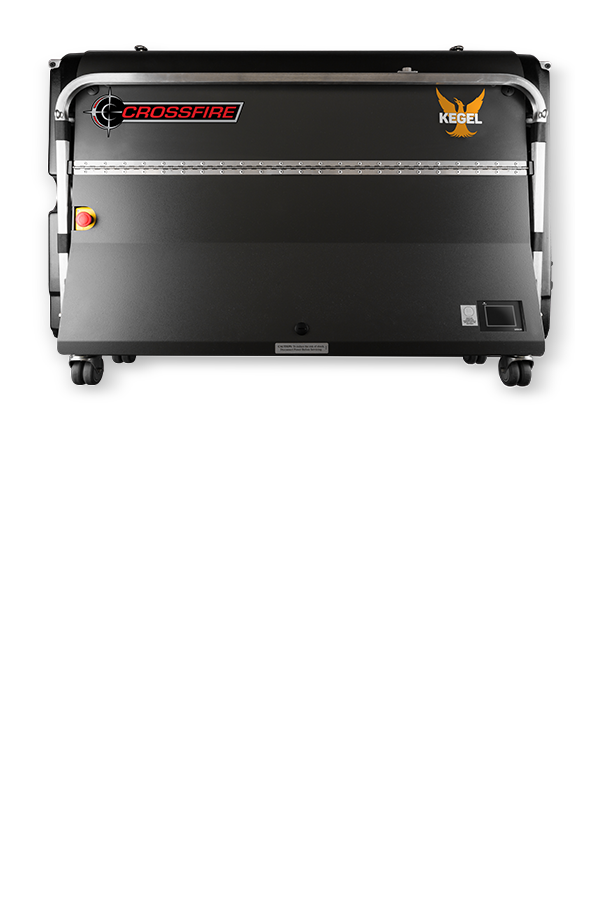
CROSSFIRE

PRODUCTION YEARS

2004 to Current

LATEST THOUGHTWARE

X5.3

(Crossfire with CPM2A PLC)

X5.6

(Crossfire With CP1L)

XF6.2S

(XF With CP1L & Touchscreen)

READ MORE >


PRODUCTION YEARS

2004 to Current

LATEST THOUGHTWARE VERSION

Crossfire (with CPM2A PLC) - X5.3

Crossfire (With CP1L PLC) - XF5.6

Crossfire (With CP1L PLC & Touchscreen) - XF6.2S

TRANSFER SYSTEM

Wick Pads

AVAILABLE POST-PRODUCTION UPGRADES

8 Pad Wick & Cam Kit - 158-8214

Conditioner Tank Upgrade - 158-8215 (115V) | 158-8215E (230V)

Learn more about Crossfire lane machine here.


Read More